
product collection

USB Hubs & Docking Station Range for B2B Sourcing

Choose between USB hubs and docking stations, define the port matrix and compatibility needs, and prepare a focused RFQ.

Start withHost device and operating system
BuildThe complete downstream port matrix
ValidateThe simultaneous-use scenario

Build around the desk task.

Start with the host, then map displays, data, network, peripherals, and power as one system.

Generic multiport USB-C hub showing a practical port mix
Hub configuration reference · port matrix pending
  1. 01
    HOST

    Device and operating system

  2. 02
    PORTS

    Complete downstream matrix

  3. 03
    TEST

    Simultaneous-use scenario

Configuration starting points.

Compare starting configurations, then open a product to review model-level details.

Generic graphite multiport USB-C hub with HDMI, USB-A and USB-C ports
Hub & DockUSB-C hub

USB-C hub

Multiport USB-C Hub

Laptop accessory and private-label programs
PortsDefine port matrixPowerConfirm pass-throughHostConfirm compatibility
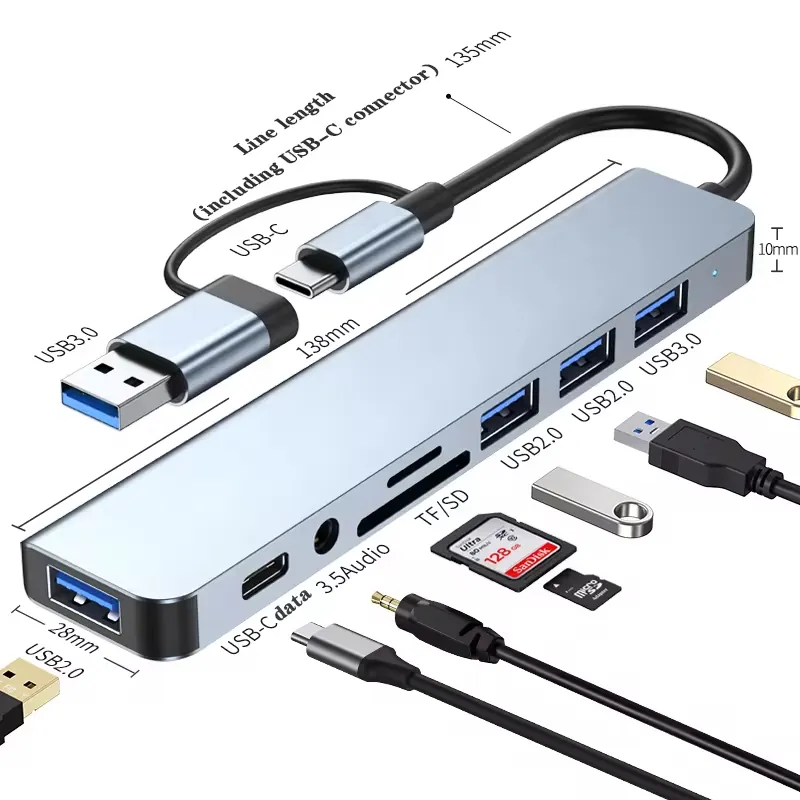
Dual-head 8-in-1 aluminium USB-C hub with labeled USB-C, USB 3.0, USB 2.0, TF/SD and audio ports plus dimension cues
Hub & Dock8-in-1 USB-C hub

8-in-1 USB-C hub

Dual-Head 8-in-1 Aluminium USB-C Hub

Laptop accessory, tablet productivity, ecommerce reseller and private-label hub programs that need a low-MOQ 8-in-1 aluminium hub
PriceUS$1.90 / pieceMOQ100 pcsBuildAluminium listed
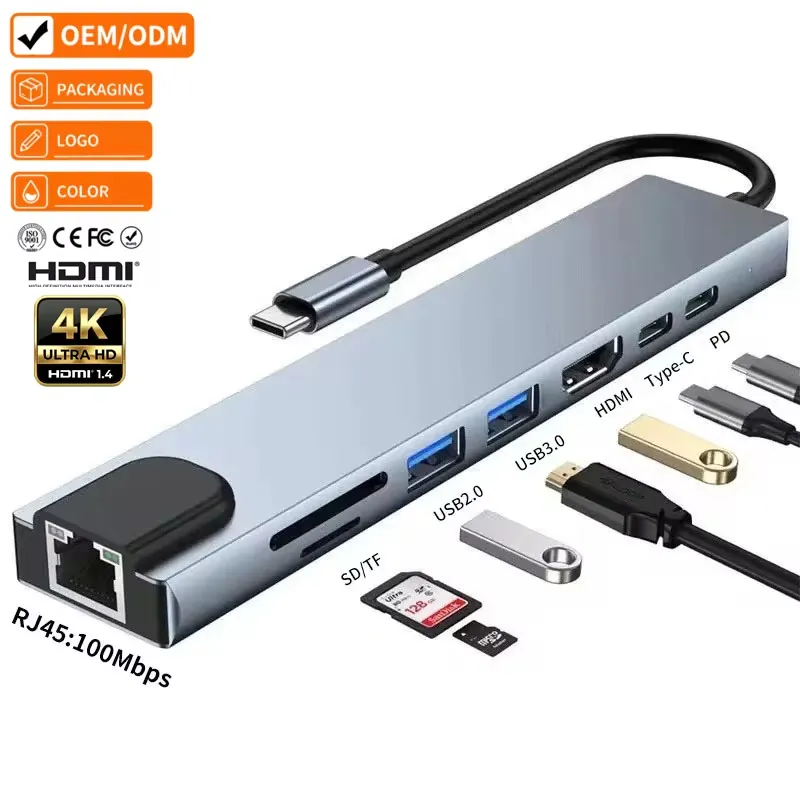
YBD 8-in-1 USB-C hub showing RJ45, SD and TF card slots, USB2.0, USB3.0, HDMI, Type-C and PD port labels
Hub & Dock8-in-1 USB-C hub

8-in-1 USB-C hub

YBD 8-in-1 USB-C Hub

Laptop accessory, computer-adapter, ecommerce reseller and private-label hub programs that need logo support and low sample MOQ
10-100 pcsUS$3.10 / piece100-500 pcsUS$2.95 / pieceMOQ10 pcsLogoSupported
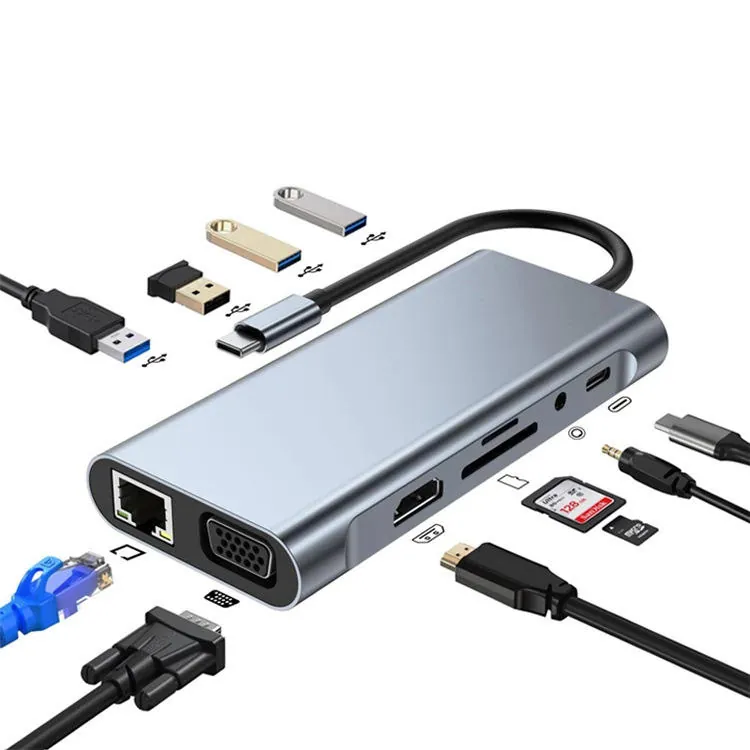
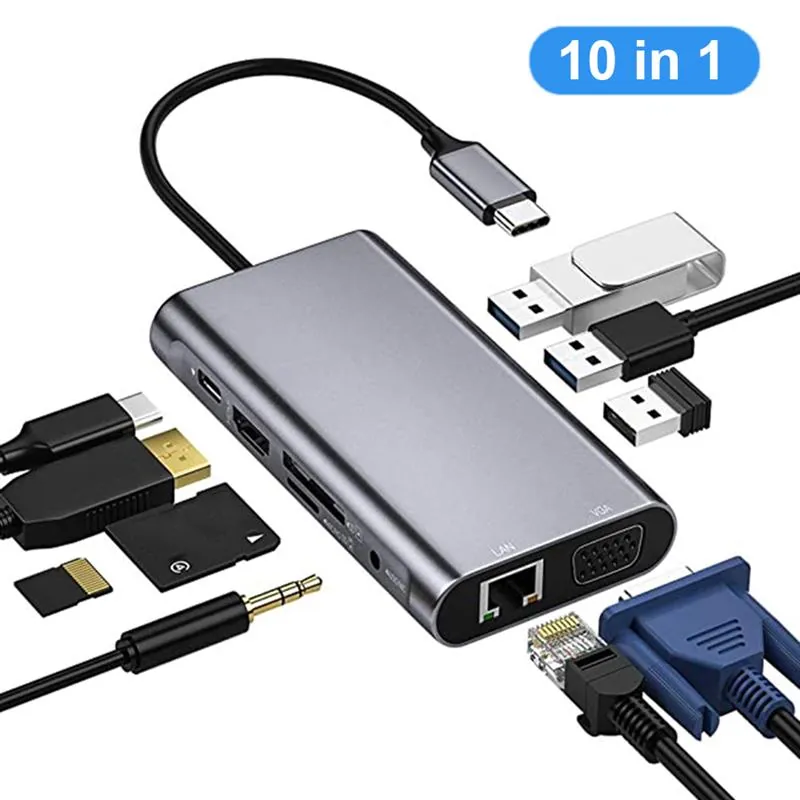
YBD-CX11 11-in-1 USB-C hub with HDMI, VGA, RJ45, SD, TF, USB, AUX and Type-C connection cues
Hub & Dock11-in-1 USB-C hub

11-in-1 USB-C hub

YBD-CX11 11-in-1 USB-C Hub 3.0 Multiport Adapter

Laptop docking, office workstation, tablet productivity, reseller and private-label programs that need an 11-port USB-C adapter with HDMI, VGA, Ethernet, card reader and PD functions
50-100 pcsUS$5.80 / piece100-500 pcsUS$5.60 / piece500+ pcsUS$5.50 / piece1000+ pcsUS$5.30 / piece

Define the complete desk setup.

Start with the host device. Add every required display, peripheral, network and power connection, then define what must work at the same time.

Host & OSPort matrixSimultaneous use
01HostLaptop or tablet
02Hub / DockSelected configuration
DisplayMonitor path
DataStorage & peripherals
NetworkWired connection
PowerInput or pass-through

Continue with a port matrix.

ConfigureDefine the hub port matrix EvaluateRequest a setup sample SpecifyPrepare the hub or dock RFQ
Graphite USB-C hub with HDMI, USB-A and USB-C ports for port-matrix review
Quote the desk setup, not only the number of ports.

A hub is a system, not a port count.

A useful RFQ starts with the host, operating system, display path, power behavior and the devices that must work at the same time.

01Host and OSLaptop, tablet or platform compatibility.
02Port matrixUSB-C, USB-A, HDMI, Ethernet and more.
03Simultaneous useWhich ports must operate together.
04HousingMaterial, cable tail, color and package.
05EvidenceDisplay, charging and compatibility review.
Prepare the hub or dock RFQ